Java Edition 1.8.8 survival, creative, and multiplayer on WebAssembly
Powered by EaglercraftX (TeaVM & WASM GC) • 100% Client-SideMinecraft 1.8.8 (EaglercraftX)
Java Edition 1.8.8 survival, creative, and multiplayer on WebAssembly
How to Play in Your Browser — Minecraft 1.8.8 (EaglercraftX)
Survive and build in Minecraft 1.8.8 on WebAssembly. Classic pre-1.9 combat, 10-minute day cycle, Y-level mining chart, and .epk backups.
Minecraft Java Edition 1.8.8 represents the defining era of classic voxel sandbox gameplay. Compiled via the open-source TeaVM toolchain, EaglercraftX renders complete procedural 3D worlds, redstone circuits, and mob AI directly in WebGL 2.0 at 60 FPS.
First-Day Survival Timetable (10-Minute Daylight Phase)
In 1.8.8, daylight lasts exactly 10 minutes (12,000 game ticks) before hostile monsters spawn at light level 7 or below:
| Game Time | Daylight Elapsed | Critical Survival Milestone |
|---|---|---|
| 06:00 | Minute 0 - 2 | Punch 12-16 logs; craft Crafting Table, Wooden Pickaxe, and Wooden Shovel. |
| 08:00 | Minute 2 - 4 | Mine 20-30 Cobblestone; craft Stone Pickaxe, Stone Axe, Stone Sword, and Furnace. |
| 12:00 | Minute 4 - 6 | Hunt 3 Sheep for Wool to craft a Bed (skips night and resets spawn point). |
| 15:00 | Minute 6 - 8 | Mine surface Coal or smelt Logs in a Furnace to create Charcoal torches. |
| 17:30 | Minute 8 - 10 | Seal a 5x5 shelter with Cobblestone or Dirt; place Bed, Torches, and Chest before 18:00 sunset. |
Pre-1.9 Combat Mechanics & Block-Hitting
Version 1.8.8 retains the beloved combat system before the 1.9 attack cooldown recharge gauge was introduced:
Optimal Ore Distribution & Mining Depths (Y-Levels)
World generation in 1.8.8 distributes ores according to specific height boundaries:
| Resource Ore | Optimal Y-Level Range | Extraction Tool Required | Best Mining Strategy |
|---|---|---|---|
| Diamond | Y = 1 to Y = 15 | Iron Pickaxe or better | Branch mine at Y = 11 to stay above lava lakes |
| Redstone | Y = 1 to Y = 16 | Iron Pickaxe or better | Abundant near bedrock layers |
| Gold | Y = 1 to Y = 32 | Iron Pickaxe or better | Cave exploration and deep ravine walls |
| Iron | Y = 1 to Y = 64 | Stone Pickaxe or better | Mountain caves, deep ravines, and shaft mining |
| Coal | Y = 1 to Y = 128 | Wooden Pickaxe or better | Surface exposed cliff faces and shallow caves |
Save Data Persistence & .epk World Backups
All world chunks, player inventories, and structures are written to your browser's IndexedDB database. Because browser caches can be cleared by automated cleaning tools, always export your world via the in-game 'World Actions' menu as an .epk backup file. This file can be imported back into WASM Arcade at any time.
Technical Architecture & Specifications
❓Frequently Asked Questions
Troubleshooting & Guides💡What should I do if the game fails to load, freezes, or shows a black screen?
Web games store their large ROM and asset chunks in your browser's internal CacheStorage and IndexedDB. A standard browser refresh (Ctrl+F5 / Cmd+Shift+R) only refreshes the web page and will NOT clear game asset caches. To perform a complete clean reload: 1) Open DevTools (F12 or Cmd+Option+I on Mac / Ctrl+Shift+I on Windows); 2) Click the 'Application' tab and select 'Storage' in the left menu; 3) Ensure 'Cache storage' and 'IndexedDB' are checked, then click 'Clear site data' (or 'Clear selected'); 4) Refresh the page. Also ensure WebGL 2.0 and hardware acceleration are enabled.
What is the best Y-level to mine for Diamonds in 1.8.8?
The optimal height for Diamond mining is Y = 11. Diamonds generate between Y = 1 and Y = 15, but standing at Y = 11 keeps your feet level with surface lava pools, allowing you to pour water buckets and create obsidian walkways without burning.
How does block-hitting work in 1.8.8 combat?
Equip a sword and hold Right Click while rapidly tapping Left Click. This strikes enemies at maximum click speed while granting 50% damage reduction from incoming monster strikes or arrows.
How do I backup and restore my singleplayer worlds?
Open the singleplayer world list, click 'World Actions', and select 'Export World (.epk)'. This downloads a compressed world file to your computer that you can import back into WASM Arcade at any time.
Can I connect to multiplayer servers in browser Minecraft?
Yes. The Multiplayer menu supports connecting to community WebSocket relays (wss://). You can join public survival, creative, and minigame servers directly from the in-game list.
Why does 1.8.8 feel different from modern Minecraft versions?
Version 1.8.8 preserves the original combat mechanics before the 1.9 Combat Update introduced weapon attack cooldown bars, off-hand shields, and sweeping sword strikes. It remains the gold standard for competitive PvP and fast-paced survival.
More Games You Might Enjoy

Grand Theft Auto: Vice City (HD)
1980s neon synthwave open-world masterpiece with full HD audio & radio

Grand Theft Auto III
The revolutionary 3D open-world landmark running in WebAssembly

The Simpsons: Hit & Run (PS2 Web Recomp)
The cult-classic Springfield open-world vehicular adventure recompiled for WebAssembly
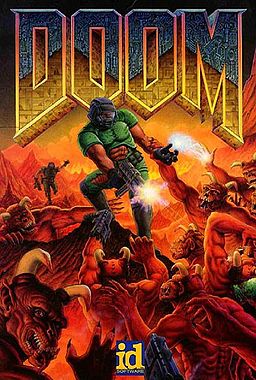
Doom (1993)
The grandfather of first-person shooters running at blistering FPS