Wasmarcade Minecraft — Eaglercraft 1.8.8
Full Java Edition 1.8.8 survival, creative mode, and multiplayer compiled to browser WebAssembly
Powered by EaglercraftX (TeaVM & WASM GC) • 100% Client-Side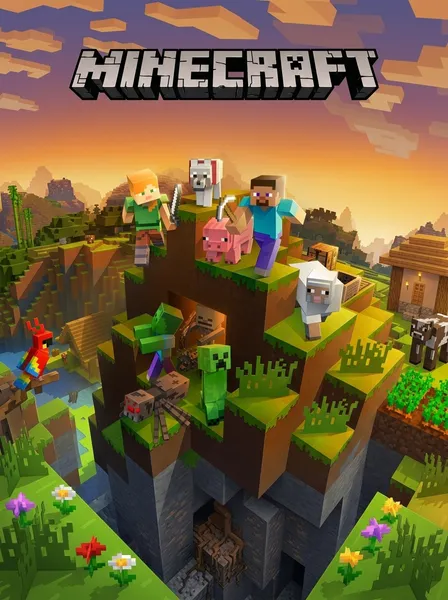
Wasmarcade Minecraft — Eaglercraft 1.8.8
Full Java Edition 1.8.8 survival, creative mode, and multiplayer compiled to browser WebAssembly
Experience Wasmarcade Minecraft directly in your browser. Powered by EaglercraftX and WebAssembly, this edition runs the complete Minecraft Java 1.8.8 experience with full singleplayer survival, creative mode, crafting, redstone, Nether and End dimensions, and local world saves with zero installations.
📜Historical Lore & Background
Wasmarcade Minecraft is the definitive browser-native edition of the world's most popular sandbox game. Powered by EaglercraftX and the TeaVM compiler, Java bytecode is translated into high-performance WebAssembly and WebGL 2.0, allowing complete procedural voxel worlds to generate, render, and simulate directly inside any modern desktop browser at a fluid 60 FPS. ### First-Night Survival Guide in 1.8.8 Every survival world begins with an unforgiving deadline: sunset. Follow these five vital steps to survive your first night: 1. **Harvest Wood**: Immediately punch nearby oak, birch, or spruce trees to collect 12–16 logs. Open your inventory ([E]) and convert them into wooden planks. 2. **Craft Workbench & Tools**: Craft a Crafting Table (4 planks in a 2x2 grid) and place it down. Craft sticks, then create a Wooden Pickaxe (3 planks along the top, 2 sticks down the center). 3. **Upgrade to Stone**: Dig three blocks down into dirt or gravel until you hit cobblestone. Mine at least 15 cobblestone blocks to immediately upgrade to a Stone Pickaxe, Stone Sword, and Stone Axe. 4. **Secure Coal & Torches**: Look for exposed coal ore along cliffs or surface caverns. Mine coal and combine with sticks to produce torches, keeping hostile zombies, skeletons, and creepers from spawning near you. 5. **Build Shelter or Bed**: Dig into the side of a dirt mountain or build a 5x5 cobblestone hut with a wooden door. If you spot sheep, harvest 3 wool and combine with 3 planks to craft a Bed, allowing you to sleep through the dangerous night. ### Classic 1.8.8 Mechanics & World Persistence This edition faithfully preserves the golden age of Minecraft Java 1.8.8 mechanics: classic spam-click sword combat (without cooldown delays), block-hitting, Golden Apple absorption hearts, brewing stands, enchanting tables, and the complete Nether and End dimensions. All game worlds, structures, and inventory chests are persisted 100% client-side in your browser's IndexedDB storage. You can freely export your world as an immutable .epk backup file anytime to transfer across devices.
⚙️WebAssembly Architecture
Default Controls & Key Bindings
Zero-latency inputs. Gamepad controls auto-map when plugged in.
| Action / Movement | Keyboard Key | Standard Gamepad Button |
|---|---|---|
| Walk / Movement | W / A / S / D | Left Analog Stick |
| Sprint | Double-tap W or Left Ctrl | Click Left Stick (L3) |
| Jump | Spacebar | A Button |
| Sneak / Crouch | Left Shift | Click Right Stick (R3) |
| Mine / Attack | Left Click | Right Trigger (RT) |
| Place Block / Interact | Right Click | Left Trigger (LT) |
| Open Inventory | E | Y Button |
| Drop Held Item | Q | B Button |
| Release Mouse / Pause | Escape (Esc) | Start / Menu |
| Chat / Command | T / / | D-Pad Right |
| Toggle Perspective (F5) | F5 | Select / Back |
Frequently Asked Questions
What is Wasmarcade Minecraft?
Wasmarcade Minecraft is a free, web-native compilation of Minecraft Java Edition 1.8.8 (EaglercraftX) running in browser tabs via WebAssembly and WebGL. It provides full singleplayer survival, creative mode, and multiplayer with zero downloads or local Java installations.
How do you survive the first night in Wasmarcade Minecraft 1.8.8?
Punch trees for wood immediately, craft a crafting table and wooden pickaxe, mine stone to craft stone tools and a furnace, collect coal for torches to light your shelter, and either build a basic enclosed dirt/cobblestone shelter or hunt 3 sheep to craft a bed and sleep through the dark.
Can I play Wasmarcade Minecraft on Chromebook or school computers?
Yes! Because Wasmarcade Minecraft runs completely client-side in standard web browsers using WebAssembly and WebGL, it requires no administrative privileges, installers, or plugins, making it popular for Chromebooks and school workstations.
How do world saves and .epk backups work?
All worlds, structures, and player items are stored locally in your browser's IndexedDB. To ensure your progress is never lost if your browser cache is cleared, use the in-game 'World Actions' menu to export your world as an .epk backup file, which can be re-imported anytime.
Does Wasmarcade Minecraft support multiplayer servers?
Yes. The in-game Multiplayer menu includes a list of public community WebSocket servers, and allows you to enter direct wss:// server addresses to play survival, minigames, and PvP with friends in real time.
Why is version 1.8.8 chosen for this browser port?
Java Edition 1.8.8 represents the definitive competitive release before the 1.9 combat rework, featuring rapid click sword mechanics, high FPS optimization, and stable compatibility with the open-source TeaVM WebAssembly toolchain.
More Games You Might Enjoy

Wasmarcade GTA Vice City — 3D Web Edition
Experience Wasmarcade GTA Vice City with Tommy Vercetti in full 3D hardware-accelerated WebAssembly. No install, no streaming lag, running directly on your GPU at 60 FPS with full radio audio and PC cheats.

Wasmarcade GTA 3 — Liberty City Web Edition
The sprawling crime epic that revolutionized interactive entertainment. Roam Liberty City with full 60 FPS WebAssembly performance, full radio stations, and PC cheats in your browser.

The Simpsons: Hit & Run (PS2 Web Recomp)
Explore Springfield as Homer, Bart, Lisa, and Marge. Experience the gold standard of PS2 web recompilation—running the complete 3D open-world adventure natively in your browser tab at 60 FPS without emulators.

Doom (1993)
Fight through hordes of demonic invaders on Phobos in the pioneering first-person shooter that defined PC gaming. Pure C compiled to WebAssembly.