Shrink to microscopic scale in one of the most charming Zelda adventures
Powered by WASM Arcade GBA Core • 100% Client-SideThe Legend of Zelda: The Minish Cap
Shrink to microscopic scale in one of the most charming Zelda adventures
Comment Jouer sur Navigateur — The Legend of Zelda: The Minish Cap
Partner with Ezlo the talking hat to shrink down and discover the miniature Picori realm in this vibrant pixel-art top-down masterpiece.
When the sorcerer Vaati petrifies Princess Zelda and shatters the sacred Picori Blade, Link must shrink to the size of an acorn to find four elemental keys.
Technical Architecture & Specifications
❓Foire Aux Questions
Dépannage & Guides💡Que faire si le jeu ne se charge pas, plante ou affiche un écran noir ?
Si un jeu ne démarre pas ou reste bloqué lors du chargement, cela est presque toujours dû au cache du navigateur obsolète. Effectuez un rechargement forcé (Ctrl+F5 sous Windows/Linux ou Cmd+Shift+R sur Mac) ou effacez le cache dans les paramètres de votre navigateur. Vérifiez également que l'accélération matérielle et WebGL 2.0 sont activés.
Can I export my Zelda save file to use in visual boy advance?
Yes, the Save Manager lets you export an uncompressed .sav file compatible with all standard GBA emulators.
Autres Jeux Recommandés
Super Mario 64 (WASM Port)
Le pionnier de la plateforme 3D recompilé directement en WebAssembly
Super Mario Advance 4: Super Mario Bros. 3
L'édition enrichie Game Boy Advance du jeu de plateforme le plus acclamé
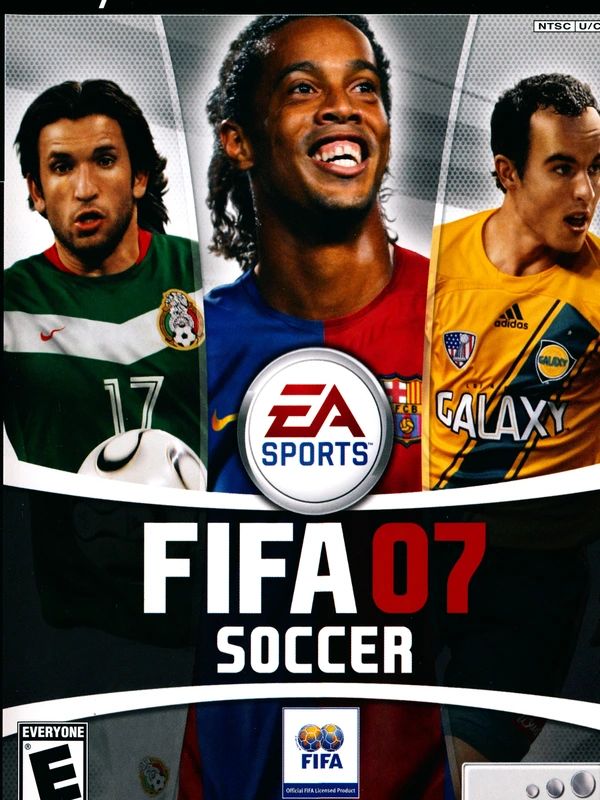
FIFA 07
The definitive 2006-2007 Ronaldinho era soccer classic running natively in your browser
Castlevania: Aria of Sorrow
Konami's 2003 gothic action RPG masterpiece powered by the Tactical Soul system