The legendary CPS-1 arcade fighting phenomenon that started it all
Powered by EmulatorWasm • 100% Client-SideStreet Fighter II: Champion Edition
La borne de combat à 6 boutons de Capcom qui a défini les jeux de combat
Comment Jouer sur Navigateur — Street Fighter II: Champion Edition
Jouez à Street Fighter 2 sur navigateur sur WASM Arcade. Incarnez Ryu, Ken, Chun-Li et les quatre boss de Shadaloo à 60 FPS.
Lancé par Capcom en 1992, Street Fighter II Champion Edition a révolutionné le versus fighting en permettant des combats miroir et en rendant jouables les 4 grands boss (Balrog, Vega, Sagat, M. Bison).
Technical Architecture & Specifications
❓Foire Aux Questions
Dépannage & Guides💡Que faire si le jeu ne se charge pas, plante ou affiche un écran noir ?
Si un jeu ne démarre pas ou reste bloqué lors du chargement, cela est presque toujours dû au cache du navigateur obsolète. Effectuez un rechargement forcé (Ctrl+F5 sous Windows/Linux ou Cmd+Shift+R sur Mac) ou effacez le cache dans les paramètres de votre navigateur. Vérifiez également que l'accélération matérielle et WebGL 2.0 sont activés.
Quelle est la configuration des 6 boutons au clavier ?
U, I, O pour les coups de poing (Faible, Moyen, Fort) et J, K, L pour les coups de pied (Faible, Moyen, Fort). Les flèches ou WASD contrôlent les déplacements.
Autres Jeux Recommandés
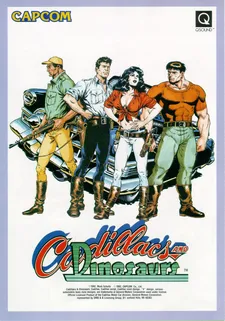
Cadillacs and Dinosaurs (Mustapha)
Le beat-em-up post-apocalyptique culte de Capcom avec armes à feu et dinosaures
Captain Commando
Futuristic Metro City brawler featuring Ginzu the Ninja and Baby Head
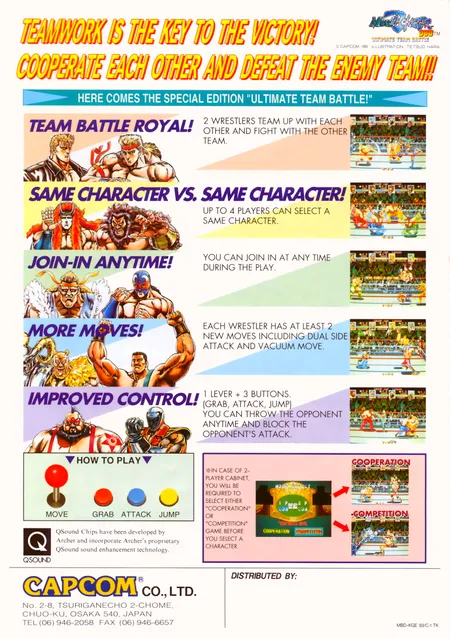
Muscle Bomber Duo: Ultimate Team Battle
Capcom (1993)
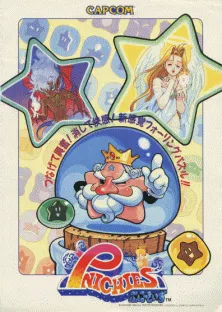
Pnickies
Compile (Capcom license) (1994)